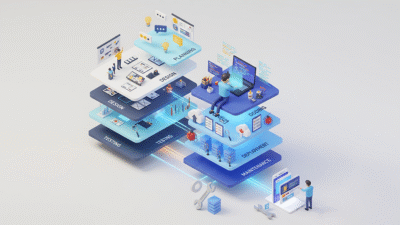
In 2026, artificial intelligence is no longer just a productivity booster. It’s a competitive advantage. The latest generation of AI tools is transforming how professionals write, code, design, analyze data, manage projects, and automate repetitive tasks. Whether you’re a developer, marketer, entrepreneur, content creator, or business leader, choosing the right AI tools can significantly improve efficiency while reducing manual effort.
In this article, we explore the Top 10 AI Tools That Will Transform Your Workflow in 2026, highlighting their standout features, real-world applications, and the value they bring to modern teams. Discover which AI solutions can help you save time, enhance creativity, streamline collaboration, and stay ahead in an increasingly AI-driven workplace.
Table of Contents
- Introduction
- How AI Is Transforming Modern Workflows
- Top 10 AI Tools That Will Transform Your Workflow in 2026
- Key Features to Look for in AI Tools
- How to Choose the Right AI Tool for Your Needs
- Benefits of Integrating AI Into Your Daily Workflow
- Common Mistakes to Avoid When Using AI
- Future of AI-Powered Productivity Beyond 2026
- Conclusion
1. Introduction
The workplace has undergone a dramatic transformation over the past few years. Remote work, cloud computing, digital collaboration, and AI-powered automation have redefined how businesses operate. Employees are expected to deliver more in less time while maintaining exceptional quality and innovation.
Unlike earlier automation software that followed fixed rules, modern AI understands natural language, analyzes complex data, generates creative content, writes software code, summarizes lengthy documents, answers customer questions, creates videos, designs graphics, and even predicts future business trends.
In 2026, AI has become accessible to organizations of every size from startups and freelancers to multinational enterprises. Businesses no longer need massive technical teams or expensive infrastructure to implement AI solutions. Cloud-based AI platforms provide enterprise-grade capabilities through simple web applications and APIs.
Instead of spending hours on repetitive tasks such as drafting emails, creating presentations, analyzing spreadsheets, scheduling meetings, writing documentation, or researching information, professionals can complete these tasks in minutes using AI assistants.
Some of the biggest advantages include:
- Faster decision-making through AI-powered insights
- Improved productivity across departments
- Better collaboration between teams
- Reduced operational costs
- Higher quality content and software
- Faster product development
- Enhanced customer experiences
Organizations that adopt AI responsibly are gaining measurable advantages over competitors who continue relying solely on manual processes.
2. How AI Is Transforming Modern Workflows
Artificial intelligence is impacting nearly every industry. Rather than replacing employees, AI enhances their capabilities by handling repetitive work while allowing humans to focus on creativity, strategy, and problem-solving.
Let’s explore how AI is transforming modern workflows across different business functions.
1) Intelligent Automation
One of AI’s biggest strengths is automation.
Businesses spend countless hours on repetitive tasks such as:
- Data entry
- Report generation
- Invoice processing
- Email management
- Customer support
- Meeting scheduling
- File organization
This enables teams to focus on innovation rather than administration.
2) Smarter Content Creation
Content creation has become significantly faster thanks to AI.
Modern AI assistants can generate:
- Blog articles
- Marketing copy
- Product descriptions
- Social media captions
- Technical documentation
- Email campaigns
- Video scripts
- Newsletters
Marketing teams now produce high-quality content at scale while maintaining consistency across multiple channels.
3) Faster Software Development
Software engineering has experienced one of the biggest AI revolutions.
Developers now use AI coding assistants to:
- Generate code
- Explain complex functions
- Detect bugs
- Suggest optimizations
- Write documentation
- Create unit tests
- Convert code between programming languages
The result is faster application development with fewer errors.
4) Better Decision-Making Through Data
Organizations generate enormous amounts of information every day. AI helps transform raw data into actionable insights.
Businesses use AI to:
- Analyze sales performance
- Predict customer behavior
- Forecast demand
- Detect fraud
- Identify operational bottlenecks
- Optimize inventory
- Monitor employee productivity
Executives can make informed decisions based on real-time analytics instead of relying on assumptions.
5) Enhanced Customer Experience
Customer expectations continue to rise.
AI enables businesses to provide:
- 24/7 customer support
- Personalized recommendations
- Faster response times
- Intelligent chatbots
- Automated ticket routing
- Sentiment analysis
Instead of waiting hours for assistance, customers receive immediate answers while support teams focus on more complex issues.
6) Improved Team Collaboration
AI is making workplace collaboration more efficient.
Modern AI tools can automatically:
- Summarize meetings
- Generate action items
- Translate conversations
- Organize notes
- Prioritize tasks
- Create project timelines
Remote teams benefit significantly from these capabilities because AI reduces communication gaps and improves project visibility.
7) Personalized Learning and Skill Development
Employees constantly need to learn new technologies. AI-powered learning platforms now create personalized learning paths based on individual strengths and weaknesses.
This helps professionals:
- Learn programming languages
- Improve writing skills
- Master design tools
- Study cybersecurity
- Practice communication
- Develop leadership abilities
Organizations benefit from a more skilled workforce without significantly increasing training costs.

3. Top 10 AI Tools That Will Transform Your Workflow in 2026
The AI landscape has grown rapidly, with specialized tools addressing nearly every professional need. Below are the first five AI tools that are redefining productivity across industries.
1) ChatGPT
Best For
Content creation, coding, brainstorming, research, customer support, documentation, and business productivity. ChatGPT continues to be one of the most versatile AI assistants available in 2026. Powered by advanced language models, it helps professionals generate high-quality content, solve technical problems, write software, summarize documents, and automate everyday tasks. Businesses across industries use ChatGPT to improve productivity without increasing operational costs.
Key Features
- Natural language conversations
- Advanced coding assistance
- Content writing
- Research support
- Document summarization
- Workflow automation
- Image generation capabilities
- Voice interaction
- Custom GPTs for specialized tasks
2) Claude
Best For
Long-form writing, document analysis, business communication, legal review, and enterprise productivity. Claude has become a preferred AI assistant for professionals working with extensive documentation. It excels at understanding lengthy reports, contracts, research papers, technical manuals, and policy documents while maintaining strong contextual accuracy. Organizations rely on Claude for detailed reasoning, structured writing, and collaborative workflows.
Key Features
- Large context window
- High-quality document analysis
- Strong reasoning capabilities
- Professional writing assistance
- Code explanation
- Research summarization
- Enterprise-friendly security features
3) Google Gemini
Best For
Productivity, Google Workspace integration, research, presentations, spreadsheets, and multimodal AI. Google Gemini has evolved into a comprehensive AI assistant deeply integrated with the Google ecosystem. It enables users to work across Gmail, Docs, Sheets, Slides, Meet, and Drive while providing intelligent suggestions and automation. For organizations already using Google Workspace, Gemini significantly enhances daily productivity.
Key Features
- Google Workspace integration
- Email drafting
- Spreadsheet analysis
- Presentation generation
- Image understanding
- Video analysis
- Multimodal reasoning
- Web-assisted research
4) Microsoft Copilot
Best For
Enterprise productivity, Microsoft 365 users, coding assistance, business automation, and workplace collaboration. Microsoft Copilot brings AI directly into applications millions of professionals already use every day, including Word, Excel, PowerPoint, Outlook, Teams, and Windows.
Key Features
- Word document generation
- Excel analysis
- PowerPoint creation
- Outlook email assistance
- Teams meeting summaries
- Windows AI integration
- Enterprise data security
- Business process automation
5) Notion AI
Best For
Knowledge management, project documentation, note-taking, team collaboration, and productivity. Notion AI transforms traditional documentation into an intelligent knowledge management system. Instead of manually organizing notes and project information, users can instantly search, summarize, rewrite, and generate content using AI. Many startups and technology companies use Notion AI as their central workspace.
Key Features
- AI-powered writing assistance
- Smart note organization
- Automatic summaries
- Meeting notes generation
- Project planning
- Task management
- Team collaboration
- Knowledge search
6) Perplexity AI
Best For
AI-powered research, fact checking, market analysis, academic research, and real-time information retrieval. Perplexity AI has become one of the most trusted AI-powered search and research assistants in 2026. Unlike traditional search engines that simply provide links, Perplexity delivers concise, well-structured answers while citing reliable sources. This makes it an excellent choice for professionals who need accurate and up-to-date information quickly.
Key Features
- AI-powered search engine
- Source-backed answers
- Real-time web research
- Market trend analysis
- Document summarization
- Follow-up conversational search
- Multi-source comparison
- Research history management
7) Cursor AI
Best For
Software development, AI-assisted coding, debugging, refactoring, and code generation. Cursor AI has quickly become one of the most popular AI-powered code editors among developers. Built specifically for software engineering, it understands entire codebases rather than just individual files, allowing it to provide intelligent code suggestions and automate repetitive programming tasks.
Key Features
- AI-powered code completion
- Full project understanding
- Bug detection
- Code refactoring
- Documentation generation
- Unit test creation
- Natural language code editing
- Git integration
8) Midjourney
Best For
AI-generated artwork, branding, marketing visuals, concept art, and creative design. Visual content plays a critical role in modern marketing, and Midjourney remains one of the leading AI image-generation platforms in 2026. Designers and marketers use it to create high-quality visuals, concept art, illustrations, product mockups, and promotional graphics within minutes.
Key Features
- High-quality AI image generation
- Artistic style customization
- Product visualization
- Character design
- Branding concepts
- Marketing illustrations
- High-resolution outputs
- Creative prompt controls
9) Runway
Best For
AI video editing, content production, filmmaking, advertising, and social media content creation. Video has become one of the most influential forms of digital communication, and Runway is helping creators produce professional-quality videos without extensive editing experience.
Key Features
- AI video editing
- Text-to-video generation
- Background removal
- Object replacement
- Motion tracking
- Automatic subtitles
- Video enhancement
- Team collaboration
10) n8n AI Automation
Best For
Business process automation, workflow integration, API automation, and no-code/low-code development. Automation is no longer limited to large enterprises. n8n empowers businesses of all sizes to connect applications, automate repetitive workflows, and integrate AI into existing business processes with minimal coding.
Key Features
- Visual workflow builder
- AI workflow integration
- API connectivity
- Hundreds of application integrations
- Scheduled automation
- Conditional logic
- Data transformation
- Self-hosted deployment option
4. Key Features to Look for in AI Tools
Not every AI platform is suitable for every organization. Before investing in an AI solution, it’s important to evaluate how well it aligns with your business goals, workflow, and technical requirements. The following features can help you identify the most effective AI tools for your needs.
1) Accuracy and Reliability
The primary purpose of any AI tool is to improve efficiency without compromising quality.
Look for platforms that consistently deliver:
- Accurate responses
- Reliable outputs
- Minimal hallucinations
- Context-aware suggestions
Testing AI tools with real business scenarios before deployment can help determine their reliability.
2) Ease of Use
An AI platform should simplify work rather than create additional complexity.
Choose tools that offer:
- Intuitive dashboards
- Minimal learning curve
- Clear documentation
- Guided onboarding
- User-friendly interfaces
Higher adoption rates often depend on how quickly employees can start using the tool effectively.
3) Integration Capabilities
Your AI solution should work seamlessly with the software your team already uses.
Look for integrations with:
- Microsoft 365
- Google Workspace
- Slack
- Jira
- GitHub
- Salesforce
- HubSpot
- Trello
- Notion
- CRM and ERP platforms
Strong integration reduces manual work and enables smoother workflows.
4) Security and Privacy
As AI systems often process sensitive business information, security should be a top priority.
- Evaluate whether the platform offers:
- Data encryption
- Role-based access controls
- Compliance with GDPR, SOC 2, or ISO standards
- Secure cloud infrastructure
- Enterprise privacy controls
Organizations handling customer or financial data should never compromise security.
5) Customization
Every business has unique workflows and requirements.
The best AI platforms allow users to:
- Create custom assistants
- Build workflow automations
- Train AI on company knowledge
- Personalize prompts
- Configure integrations
- Customize reports and dashboards
Customization ensures that the AI aligns closely with your business processes.
6) Scalability
An AI tool should support your organization’s growth.
Consider whether it can:
- Handle increasing workloads
- Support multiple teams
- Manage enterprise-scale data
- Add advanced features as your needs evolve
Choosing a scalable platform avoids costly migrations later.
7) Collaboration Features
Modern workplaces depend on teamwork.
Look for AI solutions that include:
- Shared workspaces
- Team collaboration
- Permission management
- Version history
- Real-time editing
- Centralized knowledge sharing
These features improve productivity across departments.
8) Automation Capabilities
Automation is one of the biggest reasons businesses adopt AI.
Evaluate whether the platform can automate:
- Emails
- Reporting
- Customer support
- Data processing
- Document creation
- Meeting summaries
- Software deployment
- Internal workflows
The more repetitive work AI can eliminate, the greater the return on investment.

5. How to Choose the Right AI Tool for Your Needs
With countless AI platforms available, selecting the right solution requires a strategic approach. Rather than choosing the most popular tool, focus on your specific objectives and operational requirements.
Define Your Primary Goal
Ask yourself:
- Do you need help with writing?
- Are you looking for coding assistance?
- Do you want workflow automation?
- Is research your biggest challenge?
- Do you create videos or images regularly?
Your primary use case should guide your decision.
Consider Your Budget
AI pricing varies widely from free plans for individuals to enterprise subscriptions for large organizations.
Before purchasing, compare:
- Monthly subscription costs
- API pricing
- User licensing
- Storage limits
- Feature availability
Balance cost against expected productivity gains.
Test Before Committing
Most AI providers offer free trials or limited free plans.
Take advantage of these to evaluate:
- Output quality
- Speed
- Ease of use
- Team feedback
- Integration capabilities
Hands-on testing is the best way to determine whether a tool fits your workflow.
6. Benefits of Integrating AI Into Your Daily Workflow
Artificial intelligence has become much more than a productivity tool. It is now a strategic business asset. Organizations across industries are integrating AI into their daily operations to streamline workflows, reduce manual effort, and improve decision-making. From startups to global enterprises, AI is helping teams accomplish more in less time while maintaining higher levels of accuracy and innovation.
Here are some of the biggest benefits of incorporating AI into your daily workflow.
1) Increased Productivity
One of the most immediate advantages of AI is its ability to automate repetitive and time-consuming tasks. Activities that require hours of manual effort can now be completed in minutes.
Examples include:
- Writing emails
- Creating reports
- Summarizing meetings
- Organizing documents
- Managing calendars
- Generating presentations
- Drafting proposals
- Answering routine customer queries
By handling these repetitive tasks, AI allows employees to focus on strategic initiatives, creative thinking, and solving complex business challenges.
2) Better Decision-Making
Modern AI tools analyze vast amounts of structured and unstructured data much faster than humans. They identify patterns, trends, and anomalies that might otherwise go unnoticed.
Businesses use AI for:
- Sales forecasting
- Customer behavior analysis
- Risk assessment
- Financial planning
- Inventory optimization
- Predictive maintenance
- Market trend analysis
With AI-powered insights, managers can make faster and more informed decisions backed by data rather than assumptions.
3) Reduced Operational Costs
Automation directly contributes to cost savings by reducing manual workloads and minimizing errors.
Organizations save money through:
- Automated customer support
- Intelligent document processing
- AI-powered workflow automation
- Faster software development
- Reduced administrative overhead
- Optimized resource allocation
Rather than replacing employees, AI enables teams to achieve more with the same resources, increasing operational efficiency.
4) Improved Collaboration
Hybrid and remote work environments have made effective collaboration more important than ever.
AI tools support teamwork by:
- Generating meeting summaries
- Tracking action items
- Organizing shared documentation
- Translating conversations
- Managing project timelines
- Suggesting task priorities
These capabilities reduce communication gaps and help teams stay aligned across different locations and time zones.
5) Higher Accuracy
Manual processes often lead to inconsistencies and human error.
AI improves accuracy in tasks such as:
- Data analysis
- Document classification
- Financial reporting
- Code generation
- Grammar checking
- Customer support responses
Although AI outputs should always be reviewed, they significantly reduce common mistakes and improve consistency.
6) Faster Software Development
Software engineering has experienced one of the biggest productivity gains through AI.
Developers now use AI assistants to:
- Generate code
- Debug applications
- Explain complex functions
- Write documentation
- Create test cases
- Optimize performance
Development teams can release products faster while maintaining high-quality standards.
7) Improved Customer Experience
Customer satisfaction has become a key differentiator for businesses.
AI helps organizations deliver:
- 24/7 customer support
- Personalized product recommendations
- Faster response times
- Intelligent chatbots
- Automated ticket routing
- Sentiment analysis
These capabilities improve customer engagement while reducing the workload on support teams.

7. Common Mistakes to Avoid When Using AI
Although AI offers tremendous advantages, its effectiveness depends on how it is implemented. Many organizations fail to realize AI’s full potential because they rely on unrealistic expectations or poor implementation strategies.
Here are the most common mistakes to avoid.
1) Blindly Trusting AI Outputs
AI can occasionally generate inaccurate, outdated, or misleading information.
Always verify:
- Facts
- Statistics
- Financial calculations
- Legal information
- Medical content
- Technical recommendations
Human oversight remains essential.
2) Using AI Without Clear Objectives
Many businesses adopt AI simply because it is popular.
Instead, identify specific goals such as:
- Improving customer support
- Reducing operational costs
- Accelerating software development
- Increasing marketing productivity
- Automating internal processes
Clear objectives lead to measurable results.
3) Ignoring Data Privacy
AI systems often process confidential business information.
Avoid uploading sensitive:
- Customer records
- Financial reports
- Proprietary source code
- Trade secrets
- Personal employee data
Choose AI platforms with strong security controls and enterprise-grade privacy protections.
4) Over-Automating Everything
Not every process should be automated.
Tasks requiring:
- Strategic thinking
- Leadership
- Negotiation
- Emotional intelligence
- Ethical judgment
- Creative direction
5) Choosing Too Many AI Tools
Many companies subscribe to multiple overlapping AI platforms.
This often leads to:
- Higher costs
- Workflow confusion
- Duplicate functionality
- Lower employee adoption
Instead, build a focused AI toolkit that integrates well with your existing software ecosystem.
6) Skipping Employee Training
Even the best AI tools deliver poor results if employees don’t know how to use them effectively.
Invest in training programs covering:
- Prompt engineering
- AI best practices
- Workflow automation
- Responsible AI usage
- Security awareness
8. Future of AI-Powered Productivity Beyond 2026
Artificial intelligence is evolving rapidly, and the innovations expected over the next several years will further reshape the way people work. As AI becomes more capable, businesses will move beyond simple automation toward intelligent systems that can reason, collaborate, and proactively support decision-making.
Here are some trends likely to define the future of AI-powered productivity.
1) AI Agents Will Become Digital Coworkers
The next generation of AI will act as autonomous assistants capable of managing complete workflows rather than individual tasks.
These AI agents may:
- Schedule meetings
- Coordinate projects
- Monitor deadlines
- Generate reports
- Respond to customer inquiries
- Manage routine administrative work
2) Hyper-Personalized Work Experiences
Future AI platforms will adapt to each employee’s preferences, work habits, and communication style.
They will:
- Suggest optimal schedules
- Prioritize tasks intelligently
- Recommend learning opportunities
- Customize dashboards
- Automate frequently repeated actions
This personalization will make work more efficient and enjoyable.
3) Deeper Enterprise Integration
AI will become deeply embedded across enterprise software, connecting CRM systems, ERP platforms, project management tools, communication platforms, and analytics solutions into a unified intelligent ecosystem. Employees will spend less time switching between applications and more time focusing on meaningful work.
4) Smarter Collaboration
AI will increasingly facilitate teamwork by:
- Translating conversations in real time
- Summarizing meetings automatically
- Identifying project risks
- Suggesting resource allocation
- Tracking project progress
Global teams will collaborate more effectively regardless of language or location.
5) Responsible and Ethical AI
As AI adoption grows, organizations will place greater emphasis on:
- Transparency
- Fairness
- Explainability
- Data privacy
- Regulatory compliance
- Human oversight
Responsible AI practices will become a core requirement for businesses across all industries.
9. Conclusion
Artificial intelligence is no longer a futuristic concept. It is an essential component of modern business success. From content creation and software development to workflow automation, data analysis, customer support, and creative design, AI is transforming how professionals work across every industry.
The 10 AI tools highlighted in this guide demonstrate the breadth of opportunities available in 2026. Whether you need an intelligent writing assistant like ChatGPT, a document-focused platform like Claude, seamless workplace productivity with Microsoft Copilot or Google Gemini, powerful research through Perplexity AI, advanced coding with Cursor AI, creative image generation using Midjourney, AI-driven video production with Runway, organized knowledge management through Notion AI, or flexible workflow automation using n8n, each solution addresses a unique aspect of modern productivity.
As AI continues to evolve beyond 2026, businesses that embrace responsible adoption, continuous learning, and strategic implementation will be better positioned to innovate, compete, and grow. By thoughtfully integrating the right AI tools into your daily workflow today, you can improve efficiency, enhance collaboration, unlock new levels of creativity, and prepare your organization for the future of work.